Blog

  • How to Secure Your Android on Public Wi-Fi in London (2025)

    How to Secure Your Android on Public Wi-Fi in London (2025)

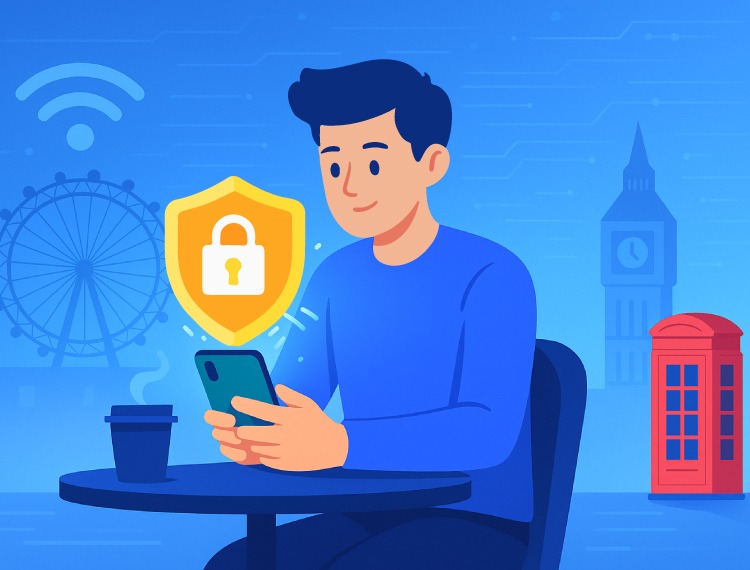
    Using public Wi-Fi in London feels like a win. Free internet in a café, airport, train station, or park. But it comes with risk. If you’re on Android, the danger is higher. Hackers can sneak into unsecured networks, grab your data, and hijack your accounts before you even notice.

    In 2025, digital safety is not optional. Whether you’re browsing headlines at King’s Cross or streaming in Soho, you need to protect your device. Here’s how to stay safe, with help from Novix VPN.

    1. Use a VPN to Encrypt Your Connection

    Let’s start with the one thing that actually protects you: a VPN.

    A Virtual Private Network shields your traffic in a secure tunnel. It hides your IP address, encrypts your data, and blocks unwanted eyes from watching what you do online. It’s your digital cloak in the middle of London.

    Why Novix VPN works well for Android users in London:

    • Strong encryption with a strict no-logs policy
    • Uses the fast and secure WireGuard protocol
    • Simple Android app with one-tap protection
    • Includes a built-in speed test and automatic kill switch
    • Free global servers including one close to the UK for better performance

    No signup. No payment. Just install it and connect.

    2. Stick to Trusted Networks Only

    Not all Wi-Fi is safe. London has networks like Connected London WiFi that are supported by the city and more secure. Avoid random open hotspots that could be traps.

    Turn off auto-connect on your Android to prevent it from jumping onto unknown networks without asking.


    3. Keep Your Device Up to Date

    Your Android should be ready before you even think about connecting.

    • Install the latest Android security patches
    • Enable two-factor authentication for important accounts
    • Use trusted apps from verified sources
    • Stick to HTTPS websites when browsing
    • Avoid logging into sensitive accounts without protection

    Updates fix holes that hackers love to exploit. Don’t skip them.

    4. Disable Auto-Connect and Add Extra Protection

    Public Wi-Fi should always be treated with caution.

    • Turn off auto-join for unknown Wi-Fi
    • Use a security app that can detect phishing and malware
    • Make sure your Android asks before connecting to new networks

    Stay in control. Don’t let your phone make risky choices without you.


    Quick Summary: How to Stay Safe on Public Wi-Fi in London

    What to DoWhy It Matters
    Use Novix VPNEncrypts traffic and hides your IP
    Connect to Verified NetworksAvoids fake and malicious Wi-Fi hotspots
    Keep Device UpdatedCloses security gaps and blocks known threats
    Enable Two-Factor AuthenticationAdds extra protection for your logins
    Use HTTPS and Trusted AppsKeeps sensitive info encrypted
    Turn Off Auto-ConnectPrevents accidental exposure
    Use a Security AppDetects dangerous files and phishing links

    Why Novix VPN is Great for Android in London

    Novix VPN is built for everyday users who want real protection without the drama.

    • Totally free access with no trial restrictions
    • Five fast global servers including one near the UK
    • Unlimited bandwidth for streaming and browsing
    • WireGuard support and a kill switch for added safety
    • A no-logs policy that respects your privacy

    Whether you’re scrolling on the Tube or downloading files at the airport, Novix keeps your data safe and your connection stable.

    Final Thoughts

    Public Wi-Fi in London is everywhere. So are threats. But with a few smart habits and a trusted VPN, you don’t have to worry.

    Novix VPN helps you stay private, access safely, and browse without limits. Combine it with device updates and verified networks, and you’re protected across the city.
  • VPN for TikTok in USA: Unblock Everything

    VPN for TikTok in USA: Unblock Everything

    TikTok hasn’t been banned in the US yet. But the clock is ticking.

    In early 2025, the US passed a law to push TikTok out. The ban was supposed to be active already, but like most political drama, it’s stuck in delays. The new date is September 17. But even before that, you might wake up one morning and find TikTok glitchy, region-blocked, or just gone.

    If you’re not trying to lose your scroll streak to some rushed law, a VPN is how you stay one step ahead.

    Why Is TikTok Even at Risk?

    Ban Passed. Delay in Action.
    TikTok got its notice. But enforcement keeps getting pushed. For now, it’s still available. For how long? No one knows.

    Random Glitches and Regional Blocks.
    Even without a full ban, the app’s stability is shaky. Updates roll out weirdly. Some Wi-Fi networks like school or work are already cutting access.

    You don’t have time to play guessing games every time you want to watch a cat dance in Berlin.

    How a VPN Keeps TikTok Alive and Borderless

    A VPN reroutes your internet traffic through a private server somewhere else in the world. That means:

    • TikTok doesn’t see your real location
    • You bypass restrictions from school networks, work firewalls, or even a national ban
    • You unlock global feeds instead of the same U.S. content loop
    • Your ISP can’t spy on your scroll sessions or slow you down

    Use TikTok in 4 Quick Steps (No Tech Degree Needed)

    1. Pick a VPN that works
    Not all VPNs play nice with TikTok. Some are slow. Some are blocked. Novix VPN is lightweight, fast, and beginner-friendly, especially on Android.

    2. Install the app
    Grab Novix VPN from the Play Store. Install it. Takes under a minute. No account needed.

    3. Connect to a safe location
    Want to access global TikTok or dodge a future U.S. ban? Try Novix’s free servers in Berlin, Singapore, Doha, Delhi, or Los Angeles if you want fast local speeds.

    4. Open TikTok and go
    You’re in. No blocks. No bans. No more “this content isn’t available in your region” messages.

    Why Novix VPN Is Actually a Solid Choice for TikTok Users

    • No paywall. No catch.
      Five server locations. All free. No trial periods. No email required.
    • Built for speed, not stress
      TikTok needs decent speeds. Novix VPN handles video and smooth scrolling without buffering nightmares.
    • Switch locations instantly
      Want to see what’s trending in Delhi, Berlin, or Singapore? Just tap and go.
    • Privacy that actually works
      Whether you’re using school Wi-Fi or a throttling ISP, Novix encrypts your traffic and hides your IP.

    FAQ

    Is it legal to use a VPN for TikTok in the US?
    Yes. VPNs are legal. Watching TikToks of people making pasta is not a criminal act.

    Will Novix slow down my TikTok?
    During peak hours, free servers might slow a little. But Novix holds up better than most free VPNs.

    Any hidden costs?
    None. Five global servers. Totally free. No credit card. No bait and switch.

    Best Novix VPN Regions for TikTok

    LocationUse CaseTikTok Access
    Los AngelesFastest US server✅ Yes
    BerlinEuropean trends and content✅ Yes
    SingaporeAsian side of TikTok✅ Yes
    DohaMiddle Eastern creators and news✅ Yes
    DelhiIndian trending content✅ Yes

    Final Word

    If you’re still using TikTok in the U.S. without a VPN, you’re just hoping it stays online. Hope isn’t a strategy. Novix VPN gives you the access, speed, and privacy you need. No credit card. No nonsense.

    Scroll smart. Stay ahead of bans. Download Novix VPN and make TikTok yours again.

  • Top 5 Reasons UK Users Actually Need a VPN in 2025

    Top 5 Reasons UK Users Actually Need a VPN in 2025

    It’s 2025. The internet isn’t the wild west anymore  it’s a walled garden with cameras on every tree. In the UK especially, the idea of “private browsing” has turned into a bad joke. Between surveillance laws, platform blocks, and silent throttling, users aren’t just online. They’re being watched, limited, and profiled. A VPN isn’t a fancy tool anymore. It’s a basic survival kit. Here’s why.

    1. Your Privacy Is Already Gone  A VPN Just Reclaims It

    The UK government doesn’t pretend to respect your privacy. They don’t need to. The Investigatory Powers Act lets them collect, store, and access your browsing history for a full year. Your ISP already tracks you. Hackers just follow the breadcrumbs. A VPN encrypts everything, cuts off that breadcrumb trail, and puts your data back where it belongs  in your hands.

    2. You Paid for BBC iPlayer — Why Can’t You Use It Abroad?

    You pay your license fee. You follow the law. Then you step outside the UK and suddenly you’re locked out of BBC iPlayer, ITV, BT Sport, Channel 4  all of it. A VPN fixes that. Connect to a UK server and your access is back. No tricks. No loopholes. Just reclaiming what you already own.

    3. Tired of Netflix Saying “Not Available in Your Region”?

    You’re paying for a full Netflix subscription but only getting half the catalogue. Shows that exist on Netflix US are just… missing. The content changes based on your location, not your account. A VPN lets you access what you paid for  from wherever you are. It opens the door and skips the waiting list.

    4. ISP Throttling Is Real And It’s Slowing You Down on Purpose

    Ever wonder why Netflix buffers at night or why your game starts lagging after 10pm? Your ISP notices what you’re doing and slows your connection to manage “network load.” Translation: they punish you for using the internet the way it was meant to be used. A VPN blocks them from seeing your traffic so they can’t slow you down for it.

    5. Public Wi-Fi Is a Trap and You Know It

    You’re in a café, airport, or train. You hop on free Wi-Fi and check your email, maybe even your bank. What you don’t see are the people scanning that network for passwords and payment info. A VPN encrypts your data before it ever touches the network. If someone’s listening, all they get is noise.

    Honorable Mentions

    • Age Gates Are Getting Weird
      The Online Safety Act is rolling out stricter age verification across the web. That means more ID checks and less anonymity. A VPN gives you back some control — not to break rules, but to move through the internet without exposing your entire identity every time you open a tab.
    • Online Prices Are Rigged
      What you’re charged for flights, hotels, or even subscriptions changes based on your location. VPNs let you compare from multiple regions and book smart. It’s not hacking the system. It’s refusing to be played by it.
    • Ads That Follow You Around the Internet
      Without a VPN, advertisers track you across sites and apps, collecting your habits, preferences, location  all of it. A VPN blocks trackers and keeps your digital footprint small.

    Summary Table: What a VPN Actually Does for UK Users

    What You NeedWhat a VPN Solves
    PrivacyBlocks surveillance, ISP tracking, and profiling
    AccessUnblocks UK content when you travel
    FreedomUnlocks streaming libraries outside the UK
    SpeedStops your ISP from slowing you down
    SecurityKeeps you safe on public Wi-Fi
    ControlLets you move through new verification rules anonymously
    SavingsHelps you beat regional pricing tactics

    Final Words

    You don’t need a VPN because you’re doing something shady. You need one because everyone else is. Governments are watching. Companies are profiling. ISPs are throttling. And platforms are deciding what you can or can’t access based on invisible walls.

    In the UK right now, a VPN is the difference between being a user and being a target.

  • Best Free Android VPN for Public Wi-Fi in the USA

    Best Free Android VPN for Public Wi-Fi in the USA

    Spoiler: It’s Novix VPN. Here’s why.

    Public Wi-Fi is convenient. Fast food joints, airports, college campuses, hotel lobbies — it’s everywhere. But so are the risks. Unsecured networks are a hacker’s playground, and your personal data is the prize. If you’re in the US and using Android, you don’t need a premium plan to stay protected. Novix VPN is hands-down one of the best free options out there.

    Let’s talk details.

    Why You Need a VPN on Public Wi-Fi

    Because cybercriminals don’t need to break into your home anymore. They just wait for you to connect to the airport Wi-Fi and boom — your passwords, emails, even payment info are suddenly up for grabs.

    A VPN encrypts your connection. It wraps your data in a private tunnel so even if someone is snooping, all they’ll see is gibberish.

    Why Novix VPN Is the Best Free Option for Android Users in the USA

    Here’s what makes Novix VPN a standout:

    • Completely free with no hidden trials or time limits
    • Five trusted global servers, including Los Angeles (US) for fast domestic browsing
    • End-to-end encryption that keeps your data safe on shady networks
    • No sign-in required for basic use, but you can create an account for multi-device protection
    • Works on all Android devices and supports up to five devices per account

    Unlike some “free” VPNs that act more like data harvesters than protectors, Novix keeps your privacy front and center.

    Where Novix VPN Shines

    Perfect for:

    • Coffee shop work sessions
    • Streaming on hotel Wi-Fi without region blocks
    • Checking bank accounts or emails securely on-the-go
    • Browsing safely on college or airport networks

    Bonus: You can even access region-restricted content while staying protected. So it’s not just secure  it’s flexible.

    How to Use Novix VPN on Public Wi-Fi (in 3 Simple Steps):

    1. Install the App
    Head to the Google Play Store, search for Novix VPN, and install it.
    No complicated setup, no tech jargon. Just tap and go.

    2. Connect to a Secure Server
    Open the app and pick a server. If you’re in the US, the Los Angeles server offers great speed for local browsing.

    3. Browse With Peace of Mind
    Once connected, you’re safe. Open your browser or apps and use the internet just like you normally would  except now, your data’s encrypted.

    Final Thoughts

    Public Wi-Fi is a modern necessity, but it shouldn’t be a risk. Novix VPN gives you reliable, encrypted protection without costing a dime. For Android users in the USA, it’s easily one of the best free VPNs out there for casual protection, secure browsing, and even streaming.

    So before you connect to that “Free_Coffee_Shop_WiFi” again, open Novix. Your data deserves better.

    Stay smart. Stay safe. Stay Novix.

  • How to Watch Netflix US in the UK with Novix VPN

    How to Watch Netflix US in the UK with Novix VPN

     So you’re in the UK, scrolling through Netflix, and suddenly realize… the American catalog has everything you want, but it’s locked tighter than your childhood diary. Don’t worry. Novix VPN is your golden ticket. And yes, it works beautifully on Android.

    Why Even Use a VPN for Netflix US?

    Here’s the thing: Netflix decides what you can watch based on your IP address. UK IP means UK library. A VPN like Novix changes your visible location by rerouting your traffic through another country. In this case, the US. Result? Netflix thinks you’re in sunny California instead of rainy Camden.

    Why Novix VPN?

    Because:

    • You get access to the shows and movies that are US-only
    • It sidesteps Netflix’s annoying geo-blocks
    • Your internet privacy gets a nice little boost
    • You might even dodge some of that awful buffering your ISP tries to sneak in

    What You Need to Know Before You Start:

    Let’s keep expectations real and tech-friendly.

    • Platform: Right now, Novix VPN is Android-only. No iOS, no laptops, no smart TVs
    • Free Servers: You get 5 totally free locations
      • Singapore
      • Los Angeles (US) ← this one’s the key to Netflix US
      • Doha (Qatar)
      • Delhi (India)
      • Berlin (Germany)
    • You can connect up to 5 Android devices per account
    • Free means it works, but peak hours might slow you down

    How To Watch Netflix US in 3 Easy Steps:

    1. Install Novix VPN

    • Head to the Google Play Store
    • Search Novix VPN
    • Download, install, and sign up if needed

    2. Connect to the Los Angeles Server

    • Open the app, scroll to the Los Angeles server
    • Hit Connect. You’ve now got a US IP

    3. Open Netflix and Go Wild

    • Open your Netflix app or go to the site
    • Log in like you always do
    • You should now see the US Netflix library. Time to binge what the Brits don’t get

    If It Doesn’t Work Right Away:

    • Clear cache and cookies from your browser or Netflix app
    • Disconnect and reconnect to the Los Angeles server
    • Try restarting your device
    • Still slow? Try again later. Free servers can get crowded

    Heads-up: Netflix does try to block some VPN IPs. That’s just the game. Sometimes it works instantly, other times you’ll need a little patience

    What’s Waiting for You on Netflix US?

    • Early drops of hyped shows and movies
    • Exclusive documentaries and specials
    • Way more reality shows, stand-up, and American dramas

    Hundreds of titles that simply don’t exist on Netflix UK

    Quick Peek: Netflix US vs Netflix UK

    FeatureNetflix US (via Novix)Netflix UK
    Blockbuster MoviesMore varietySmaller pool
    US-Exclusive TV ShowsFull accessMostly blocked
    Early ReleasesOften soonerUsually delayed
    Documentaries/SpecialsLots of US exclusivesDepends
    Total Content~7,000+ titles~8,000+ (but diff content)

    Final Thoughts

    If you’re rocking an Android phone and craving US Netflix from the UK, Novix VPN is a no-fuss solution. Just connect to the Los Angeles server, fire up Netflix, and start watching. It’s free, it’s simple, and it works with a bit of trial and error

    Just a reminder to always play fair. Respect Netflix’s terms and your country’s laws. For a smoother ride or more consistent speeds, a premium VPN is worth considering. But for budget-friendly access to the good stuff, Novix is your guy

    Stream on, legend. You deserve better TV

  • Level Up Your Game: How a VPN Crushes Lag and Shields You From DDoS Attacks

    Level Up Your Game: How a VPN Crushes Lag and Shields You From DDoS Attacks

    In the world of online gaming, timing is everything. One millisecond too slow, and the win slips through your fingers. Lag spikes, random disconnects, or DDoS attacks don’t just break immersion. They break momentum. The fix? A solid VPN. It’s not just about security. It’s about control, speed, and stability.

    Why Gamers Use VPNs to Beat Lag

    Lag, or high ping, is that frustrating delay between your input and the game’s response. It’s caused by long routes, congested networks, or your ISP quietly throttling your speed. A gaming VPN tackles it head-on by:

    • Connecting you through smarter, shorter paths to the game server. This cuts down ping and boosts response time
    • Using optimized servers built for gaming. Your connection stays fast and consistent
    • Bypassing ISP throttling with features like split tunneling. Your game data travels untouched and uninterrupted
    • Reducing packet loss and jitter. Your actions stay razor-sharp and perfectly timed

    In simple terms? Your aim hits faster. Your dodges register quicker. Your moves land cleaner. And in a match where every second counts, that’s the edge you need.

    Stay One Step Ahead of DDoS Attacks

    DDoS attacks are a dirty trick. They flood your network with fake traffic until you crash out of the game. But with a VPN:

    • Your real IP stays hidden. Attackers can’t find or flood your personal connection
    • Built-in DDoS protection on VPN servers absorbs the attack without affecting your game
    • Your digital footprint shrinks, keeping you off the radar of rival players or lurking hackers

    It’s like invisibility with a firewall and a killstreak.

    Bonus Power-Ups of Gaming with a VPN

    • Unlock games and servers from other regions with geo-bypass magic
    • Say goodbye to ISP traffic shaping and hello to stable speeds
    • Encrypt your connection to protect your privacy on any network, especially public ones

    Pro Tips for Getting the Most Out of Your VPN

    • Choose a VPN server close to the game server for lower ping
    • Use fast protocols like WireGuard or Lightway for optimal performance
    • Enable split tunneling to route only game traffic through the VPN
    • Keep your device and VPN app updated to stay secure

    Bottom line? A VPN isn’t just for privacy. It’s for performance. You get smoother gameplay, rock-solid protection, and a competitive edge that keeps you in control. If you’re serious about gaming, this isn’t a luxury. It’s your loadout.

    Game smarter. Lag less. Play protected.

  • Internet Privacy: Why It Matters (And How Not to Get Played)

    Internet Privacy: Why It Matters (And How Not to Get Played)

    Let’s get one thing straight. Your data is valuable. Not just to you, but to everyone else, too. Every click you make, every meme you save, every “just wondering” search at 3 AM — it all leaves a trail. And someone, somewhere, is probably watching.

    In a world where your information is currency, privacy isn’t a luxury. It’s your armor.

    How to Actually Protect Your Privacy

    • Use a VPN
      Your data deserves better than being passed around like office gossip. A VPN encrypts your connection and masks your IP like a digital invisibility cloak.
    • Strong Passwords
      The name of your ex and “123” isn’t a password. Use complex, unique passwords. And no, don’t recycle them like leftovers.
    • Update Everything
      If your device says “update available,” don’t ignore it like a red flag in your love life. Updates patch vulnerabilities before someone else finds them.
    • Think Before You Overshare
      Do you really need to use your real name on random forums? Does the internet need to know your dog’s birthday? Probably not.
    • Avoid Public Wi-Fi Without Protection
    • Airports, cafés, hotels — they’re digital danger zones. If you must connect, at least armor up with a VPN.

    If you’re looking for something fast, reliable, and respectful of your privacy, Novix VPN is right there on the Play Store. No fluff, no tracking. Just real protection.

    Geo-Unblocking: Because the Internet Shouldn’t Have Borders

    Ever tried to watch a show or read an article and got the dreaded “not available in your region” message? It’s a strangely polite way of saying you’re not invited.

    Geo-blocking is what keeps you from accessing content based on where you are. Streaming services, apps, even news sites decide what you’re allowed to see. That might make sense to someone, somewhere, but to you, it’s just frustrating.

    Ways to Bypass Geo-Blocking

    • VPNs
      The most dependable method. A VPN changes your IP to another country and encrypts your connection. It gives you access and protects you in one move.
    • Smart DNS
      Reroutes some of your traffic to bypass restrictions. Doesn’t encrypt anything, so it’s faster but not safer.
    • Proxy Servers
      Good for hiding your location, but usually don’t have encryption. Hit or miss with streaming. Also a gamble in terms of privacy.

    If you want to access content without losing control over your data, Novix VPN offers a global server network that lets you explore the internet on your terms. It’s quiet, fast, and always on your side.

    Secure Browsing: The Non-Negotiables

    The internet is not your therapist. Share wisely. Secure browsing means staying alert, being intentional, and recognizing that not every link is your friend. It’s how you avoid malware, phishing traps, and those sneaky little trackers that follow you like shadows.

    Habits for Safer Surfing

    • Choose Secure Browsers
      Stick to browsers with solid security reputations. Keep them updated. Trust, but verify.
    • Check for HTTPS
      Look for that padlock in the address bar. It’s your silent guardian.
    • Use Privacy Extensions
      Add-ons like ad blockers and anti-tracking tools go a long way in keeping your data yours.
    • Enable Two-Factor Authentication
      A second layer of security might be the only thing between you and a breached account.
    • Avoid Public Wi-Fi Unless You’re Shielded
      The moment you open your banking app on public Wi-Fi without a VPN, you’re rolling the dice.
    • Clear Your Digital Trail
      Regularly delete cookies, cache, and browsing history. Start fresh. Often.

    Novix VPN offers one-tap security with unlimited bandwidth and no-logs tracking. It gives you peace of mind without slowing you down or selling you out.

  • How to Delete Your Novix VPN Account

    How to Delete Your Novix VPN Account

    Your privacy is more than just a feature at Novix VPN. It is the foundation of everything we do.
    We are sad to see you go, but we understand that things change. Whether you’re switching providers, simplifying your digital presence, or just moving on, we’re here to help you delete your account in a safe, easy, and stress-free way.

    Reasons to Delete Your Account

    No judgement. Just support.

    You might be:

    • Exploring a different VPN service
    • No longer in need of VPN protection
    • Trying to reduce your digital footprint

    Whatever your reason, we respect your decision and are here to help.

    How to Delete Your Novix VPN Account

    1. Get Your Account Information Ready

    Before contacting us, please make sure you have:

    Any helpful information that can verify your identity, such as your login or a recent transaction ID

    The email address associated with your Novix VPN account

    2. Send Us an Email Request

    To request the deletion of your account, email our support team directly:

    Email: novixvpn@gmail.com

    You can use this template to make it easier:

    Subject: Request to Delete Account

    Body:
    Hello Novix VPN Support Team,I want to permanently remove my Novix VPN account that is linked to this email address.
    Please let me know when my account and all of its data have been deleted from your system.

    3. Checking and Confirming

    Once we receive your request:

    • For security reasons, our team may reach out to confirm your identity
    • After confirmation, your account and all associated data will be permanently deleted
    • You will receive an email once the deletion process is complete

    What Happens After You Delete

    • Your Novix VPN account and all personal data will be removed from our systems
    • All active subscriptions and services will be canceled
    • If you have a current membership, we recommend canceling any auto-renewals with your payment provider

    Need Help?

    We are always here for you.
    If you have any questions or need further support, please contact us at:
    novixvpn@gmail.com

    Your privacy. Your control. Your choice.
    Thank you for using Novix VPN. Whether you are leaving or one day coming back, you are always welcome.

  • What are cookies and Novix VPN? Why are they important?

    What are cookies and Novix VPN? Why are they important?

    Cookies are the small files that remember your name, keep you locked in, and try to make life online a little easier. They are part of the internet’s complicated web. We don’t only use cookies to keep things operating smoothly at Novix VPN; we also utilise them in a way that protects your privacy and gives you peace of mind. This guide tells you what cookies are, how Novix uses them, and how you can control them in your own way.

    What Are Cookies, Exactly?

    Websites store small pieces of data called cookies on your device. They help websites remember things like your language settings, whether you’re logged in, what you left in your shopping cart, and more. They’re not viruses or programmes that will hack you; they’re just quiet markers that assist you have a better experience when you browse.

    Cookies are very important for services like Novix VPN. They help us keep your sessions safe, customise your dashboard, and ensure sure the system remembers you as a specific user, not simply a generic one.

    A quick look into how cookies work

    A cookie is sent to your browser when you go to a website. Your browser keeps it and sends it back the next time you go to the site. Websites can “remember” you because of this back-and-forth.

    You should know about a few different kinds of cookies:

    Session cookies: are temporary and disappear when you exit your browser. They help you stay logged in and move around safely.

    Persistent Cookies: They stay around for a while. They remember what you like from visit to visit.

     first-party cookies: are Cookies from the site you’re visiting are called.

    Third-party cookies: are set by programmes from outside the site, such analytics or ad providers.

    The Cookies That Novix VPN Uses and Why

    We are open and honest; there is no dirty business here. Novix VPN uses cookies to improve security, performance, and the user experience.

    1. Essential Cookies

    These are the things you need. The service just doesn’t work well without them.

    Keeping you logged in (in a safe way)

    Taking care of your session so that no one else may take it over

    Finding fraud or login attempts that seem suspicious

    Turning these off could ruin the experience, so we suggest leaving them on.

    2. Cookies for Analytics and Performance

    We use anonymous, combined data to make what we build better. We can learn stuff from these cookies, such as:

    The pages that get the most visits

    How long people stay

    What features are in use

    We don’t collect any personal information or track you throughout the web. We just want to know what you think so we can make Novix better.

    3. Cookies for Marketing

    We cooperate with reliable partners, such as Meta/Facebook Pixel, to find out how effectively our ads work and to make sure you don’t see the same ad 10 times in a row.

    These cookies help us:

    Know what campaigns really get people to come in

    Make sure your promotions are relevant, not random.

    Be productive and follow the law at the same time

    Why We Use Cookies (Hint: It’s Not to Spy on You)

    We use cookies at Novix for a reason and with respect. We utilise them for

    Make sure your login is safe

    Save your choices so that things work the way you want them to.

    Keep an eye on performance and fix issues.

    Make our messages more useful, not spammy.

    How to Handle Cookies

    You have the power. Always.

    You can do the following with your browser settings:

    Allow or block cookies

    Get rid of the ones you already have

    Set different cookie settings for each site

    Just remember that some functions may not work well if you turn off critical cookies.

    Our Promise of Privacy

    We care about your privacy. Our cookie policy is in line with international rules like the GDPR and CCPA. Cookies don’t let us collect personal information unless you give us permission to do so. And we are always looking at what we do to make sure we meet legal and moral standards.

    The Bigger Privacy Picture: Beyond Cookies

    Cookies are only one component in keeping your online privacy. The main thing that makes Novix VPN so powerful is that it encrypts your traffic, hides your IP address, and keeps third parties from seeing what you’re doing online. When you add it to appropriate cookie use, you have security without giving up anything smooth, smart, and yours.

    Final Word

    Cookies aren’t bad; they’re more like the people behind the scenes who make sure everything goes well. At Novix VPN, we promise to use them with a purpose, honesty, and your trust in mind.

    Because protecting your privacy is more than just a feature. It’s the base.

  • Wire Guard Explained: Fast, Secure, and Simple VPN Technology

    Wire Guard Explained: Fast, Secure, and Simple VPN Technology

    Having a consistent and safe VPN has never been more crucial in a society where our online privacy is always under attack. Not all VPNs, however, are equal. Some are antiquated, some are slow, and others just don’t do enough to protect you. WireGuard, a revolutionary VPN protocol sweeping the internet, fits in there.

    What, therefore, is Wire Guard? Why is everyone discussing it, then? Let’s analyze it.

    Wire Guard is

    Wire Guard is a new sort of technology that is driving most of today’s top VPN solutions. Imagine it as the background engine enabling your VPN to maintain quick, private, and safe internet activity.

    Unlike earlier VPN protocols like OpenVPN or IPSec, Wire Guard is designed to be lightweight, super-fast, and incredibly secure—all at the same time. Originally designed for the Linux operating system, it currently runs on nearly all platforms, including Windows, macOS, Android, and iOS.

    How Wire Guard Works

    Understanding how Wire Guard protects you does not require technical knowledge. This is a straightforward clarification:

    Connecting to a Wire Guard-based VPN:

    Your internet traffic is routed through a protected tunnel, so no one, not even your internet service provider, can see what you are doing online.

    Your actual IP address is concealed— You seem to be surfing from another site, which increases privacy and allows you to avoid geo-restrictions.

    A safe tunnel is built— Imagine it as a private road, especially for you, where no one else may enter or snoop on your trip.

    Its fast and effective tunnel construction is what distinguishes Wire Guard. Its streamlined codebase and modern security design greatly reduce the risk of flaws or vulnerabilities. Should your connection drop, it is also meant to rejoin right away—something earlier VPN protocols sometimes struggle with.

    Advantages of WireGuard

    Here are some justifications for why privacy advocates and technical professionals are selecting Wire Guard VPNs:

    • ✅ Quicker speeds—Excellent for downloading big files, gaming, and streaming.
    • ar
    • ✅ More dependable connections: Even with poor networks, fewer drops or problems.
    • ✅ Built with the newest security technologies, stronger security.

    Uses fewer resources, which is great for mobile users.

    Novix VPN Keeps You Safe Using Wire Guard

    NovixVPN is among the finest options available if you want a VPN that truly walks the talk. What cause? Built on Wire Guard technology, it offers top-notch privacy, ultra-fast speeds, and rock-solid security all in one elegant design.

    NovixVPN protects your online freedom, masks your IP, and reroutes your data through a secure tunnel. NovixVPN, driven by Wire Guard, has your back whether you’re working remotely, surfing in a public café, or just watching your favorite shows.

    Last Reflections

    Choosing the correct VPN is essential in the digital era. Choosing one that runs WireGuard is even more intelligent. Compared to conventional VPN protocols, it is quicker, safer, and more efficient. Select from the top VPNs with Wire Guard